UX research and discovery
User interviews, competitor reviews and journey maps that show what users need before anything is designed.


UI/UX design
We design products people understand on first use: research, user flows, wireframes, visual design, design systems and clickable prototypes. Our designers work alongside our engineers, so designs are realistic to build and handed over in a form developers can use straight away.
What we deliver
User interviews, competitor reviews and journey maps that show what users need before anything is designed.
The structure of every key journey, tested in low fidelity so changes are cheap.
iOS and Android interfaces that follow platform conventions and feel natural to use one-handed.
Complex data, tables, filters and settings organised so busy teams can find what they need quickly.
Figma prototypes you can share with users, stakeholders and investors before development starts.
Reusable components, tokens and guidelines in Figma that keep your product consistent as it grows.
Configurators, visualisers and rich interactions, like our 3D, AI and AR room visualizer concept.
A review of an existing product against usability and accessibility principles, with a prioritised list of fixes.
How we work
Understand users, goals and constraints through interviews, analytics and competitor reviews.
Information architecture, user flows and wireframes for the core journeys.
High-fidelity screens, brand application and components for every state.
Clickable prototypes tested with real users, then refined.
Developer-ready files, specs and a design system, with designers available during the build.
Built for
Small fixed-scope builds and long-term product teams alike.
Why Codesmania
Because the same company builds the product, designs are checked for feasibility early and handed over without gaps.
Booking platforms, AI CRMs, HR and pharma workflows, mobile apps and brand sites all came through our design process.
Our room visualizer concept combines 3D, an AI restyle assistant and AR preview in one interface.
Our work
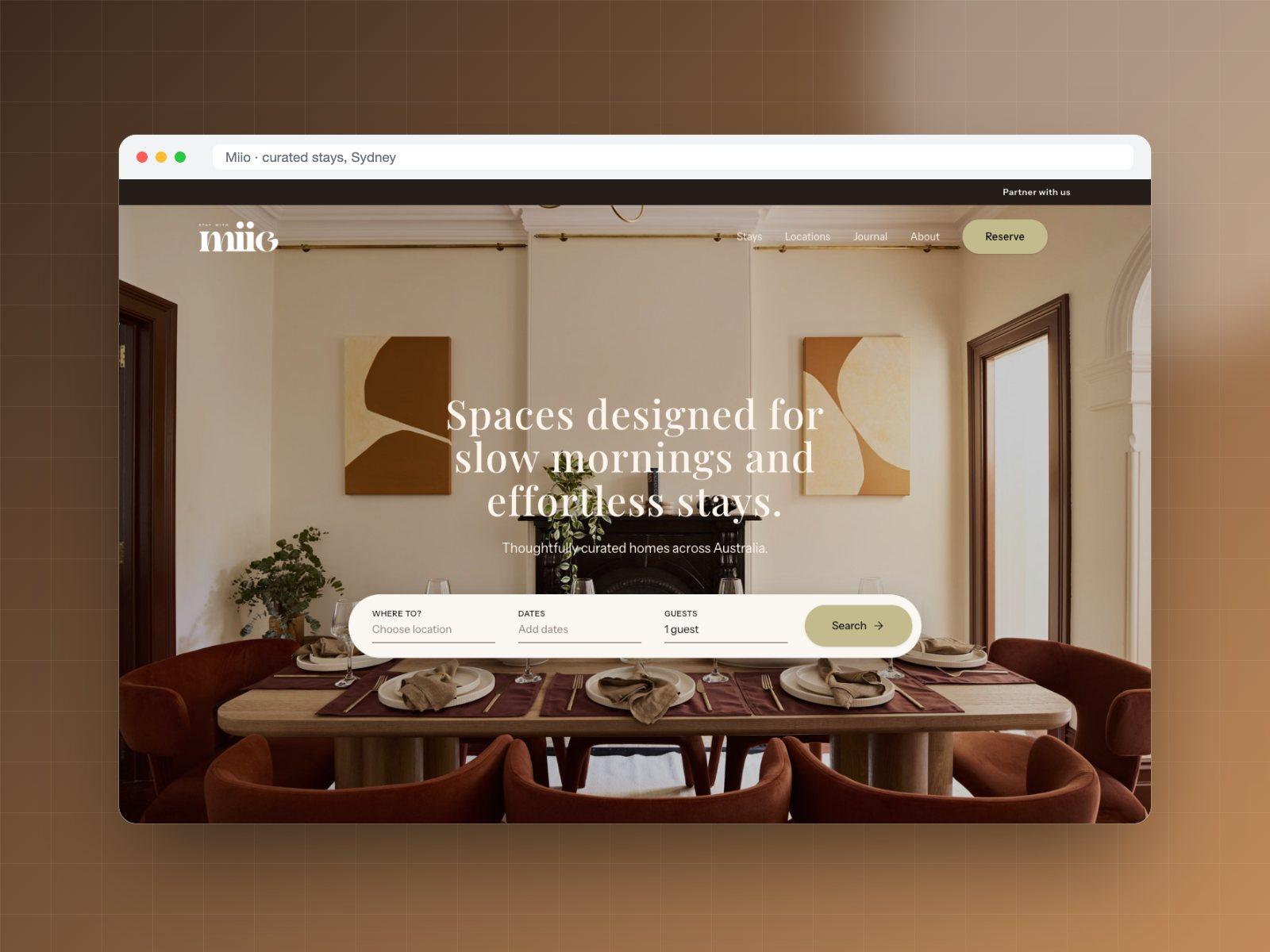
Web
Miio, Australia
An Airbnb-style booking platform for design-led short stays in Sydney. Guests search by location, dates and guests, compare homes and nightly prices, read verified reviews and reserve, with a partner programme and travel journal.
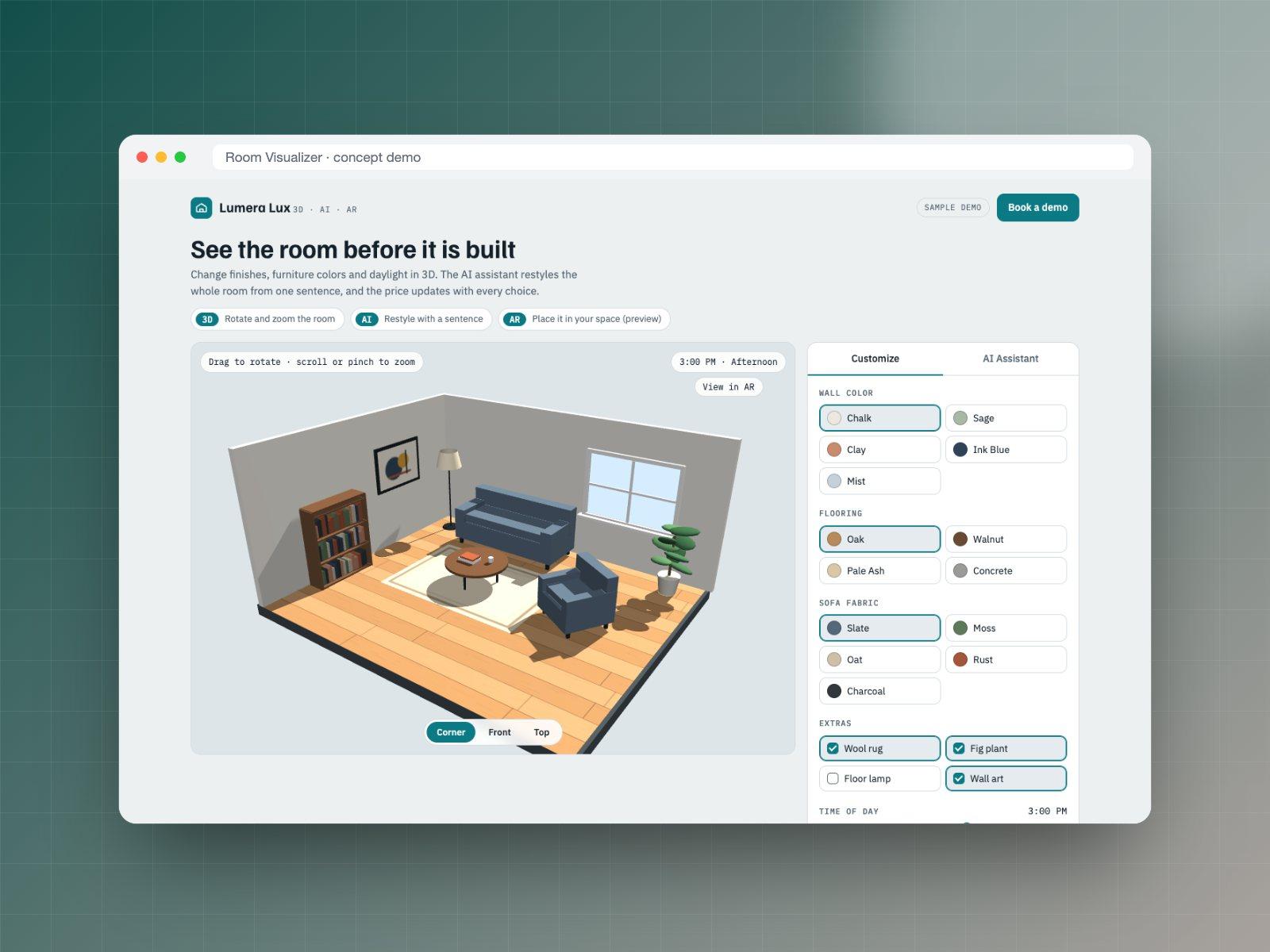
AI
Concept demo for interior and furniture brands
An interactive 3D room configurator: rotate and relight the room, restyle it with one sentence to an AI assistant, preview it in AR and watch the price update live. A concept demo, not a client build.
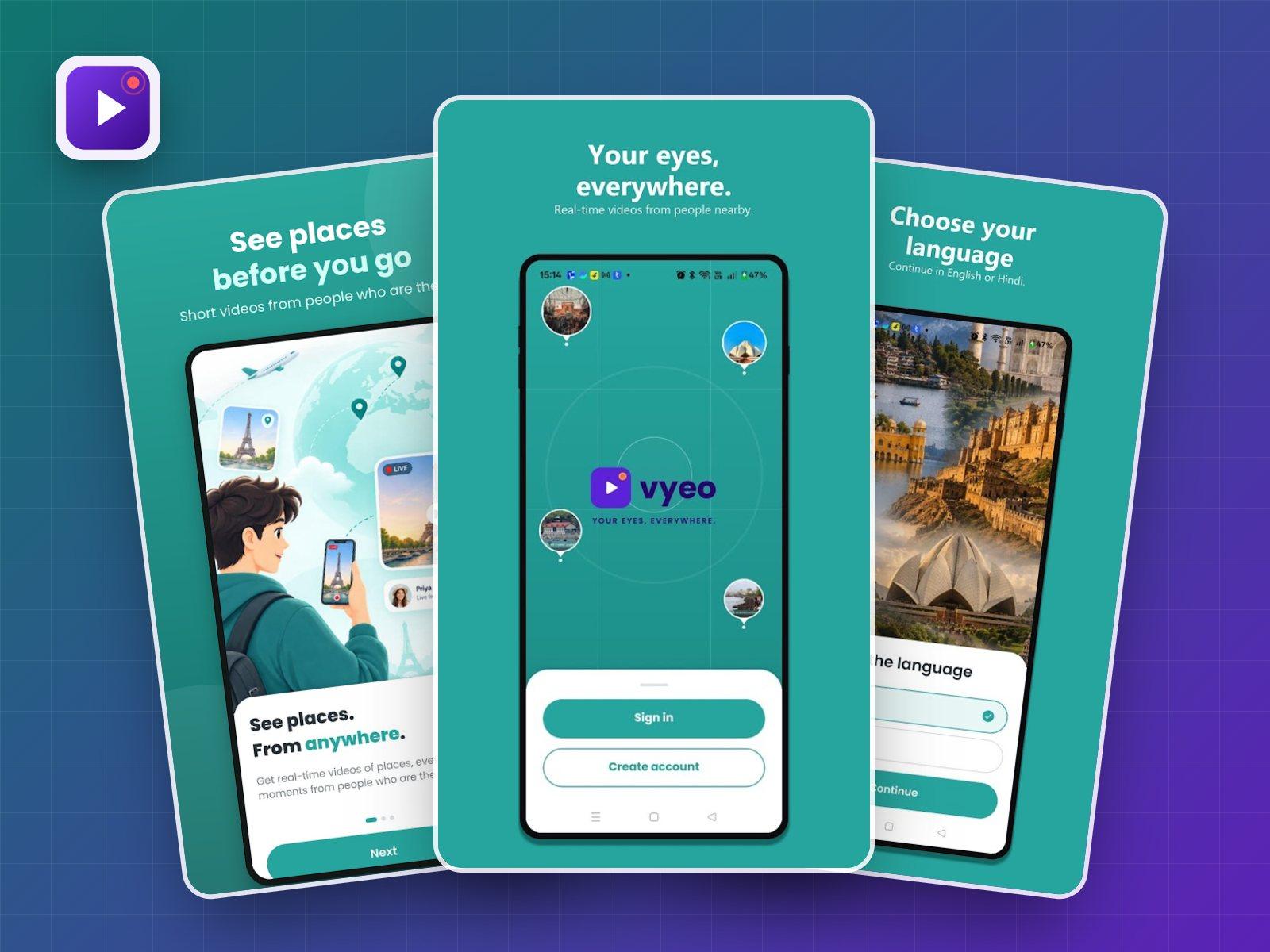
Mobile
Vyeo
See a place before you go. Users drop a pin, ask people nearby for a short video and get it recorded live through the in-app camera, with location checks, chat, credits and a marketplace of fresh place videos.
FAQ
UX design is about how a product works: the journeys, structure and ease of completing tasks. UI design is how it looks and feels: layout, typography, colour and components. Good products need both, and we handle them together.
Yes. We take design-only projects and hand over Figma files, prototypes and a design system to your developers. Many clients later ask us to build it too, but that is your choice.
Yes. We work in Figma so you can comment directly on designs, try prototypes in the browser and keep full ownership of the files.
Yes. We start with a UX audit using your analytics, user feedback and usability heuristics, then redesign the screens with the biggest problems first so improvements reach users quickly.
A focused prototype for an MVP can take a few weeks, while a full product redesign with a design system takes longer. We agree on the screens and deliverables up front so the timeline is clear.
Keep exploring
Let's talk
Tell us what you are building and where you are. We reply within one working day with honest advice and a plan.